No AI required
Remove Silence
Finds gaps in the current Premiere transcript and cuts or removes them using deterministic timing rules. No Gemini key is required.
Free and open source
VoidCutter is a free, open-source UXP plugin for removing pauses, reviewing retakes, finding short-form moments, and preparing publishing metadata.
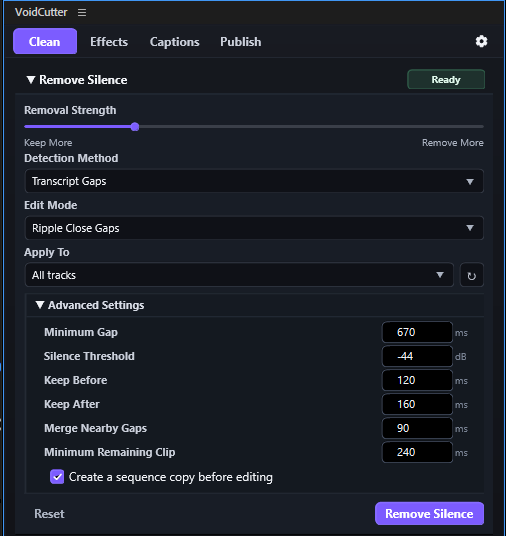 Remove Silence · deterministic transcript timing
Four working tools
Start with the active Premiere sequence transcript. Use deterministic timing for pauses, or Gemini when editorial judgment is useful.
No AI required
Finds gaps in the current Premiere transcript and cuts or removes them using deterministic timing rules. No Gemini key is required.
Gemini + review
Uses Gemini to suggest repeated takes, abandoned fragments, and removable recording chatter. You review and select suggestions before applying edits.
Gemini + selection
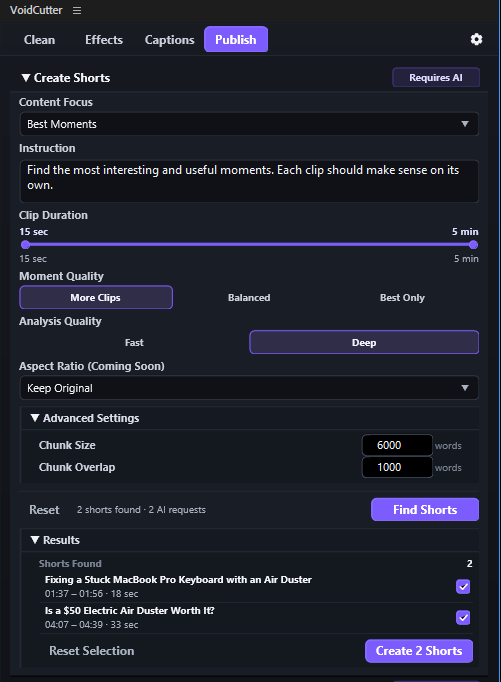
Finds self-contained moments in the transcript. Select the results, and VoidCutter creates one independent Premiere sequence per selected moment.
Gemini
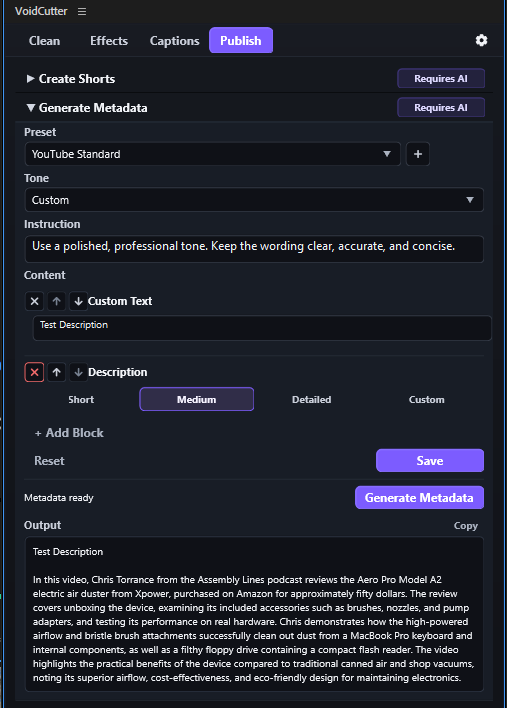
Generates descriptions, chapters, hashtags, and tags. Custom Text blocks remain unchanged and are never sent to Gemini.
Product preview
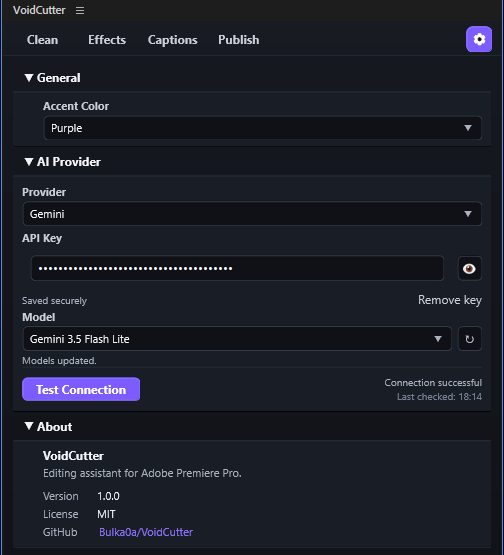
Every image below is an unmodified screenshot of VoidCutter. Open any image to inspect the full interface.
How it works
VoidCutter reads the transcript attached to your active Premiere sequence. It does not transcribe audio itself, and captions are not required.
Read the full User GuideDownload the ready-made installer directly from this site.
Open the package with Adobe Creative Cloud Desktop and approve the installation.
In Premiere, choose Window > UXP Plugins > VoidCutter.
Create or refresh the active sequence transcript in Premiere's Text panel.
Run Remove Silence locally, or configure Gemini for the AI-assisted tools.
After timeline changes: refresh the sequence transcript before another transcript-based operation.
Before applying AI results: review suggestions and keep only the ranges or moments you want.
AI & Privacy
VoidCutter has no website analytics, cookies, forms, or tracking scripts. The plugin contacts Gemini only when you run an AI-assisted tool.
secureStorage.Google processes Gemini requests under its own terms and privacy policies. Decide whether a transcript is appropriate to send before running an AI-assisted tool.
Read Security & PrivacyWho VoidCutter is for
VoidCutter may be useful to editors looking for a free, open-source alternative for parts of a FireCut or AutoCut workflow, including pause removal, retake review, Shorts discovery, and publishing metadata. It is not currently a feature-for-feature replacement for either product.
Current limitations
VoidCutter is practical for ordinary transcript-based editing, but it does not claim to cover every Premiere workflow.
VoidCutter 1.0.0
Download the ready-made installer or inspect the full open-source project on GitHub.